
AtomTouch3.0.2 - Google Play
You'll be able to see results in few seconds.
Publisher Description
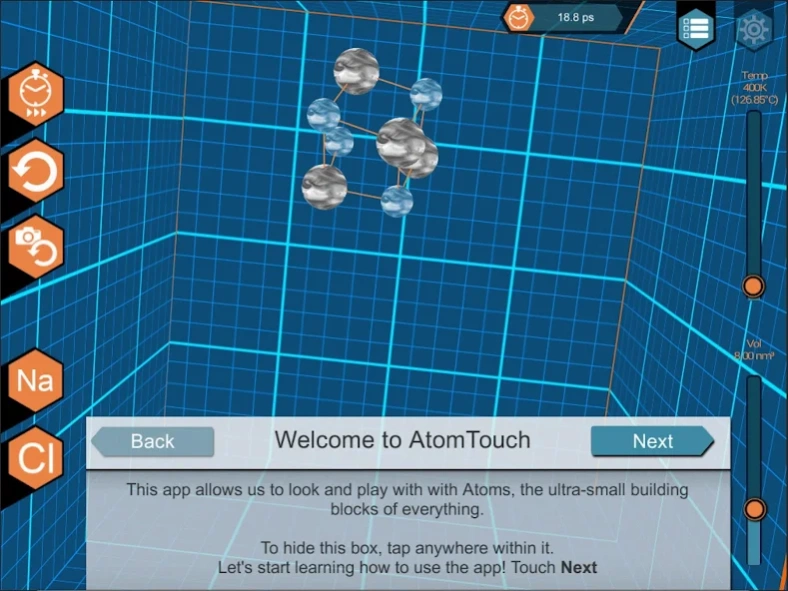
AtomTouch is a molecular simulation App.
AtomTouch is a molecular simulation app, created through a partnership between UW MRSEC and Field Day Lab, that allows learners to explore principles of thermodynamics and molecular dynamics in an tactile, exploratory way.
Simulation Features
Lennard Jones and Buckingham Simulation Engine
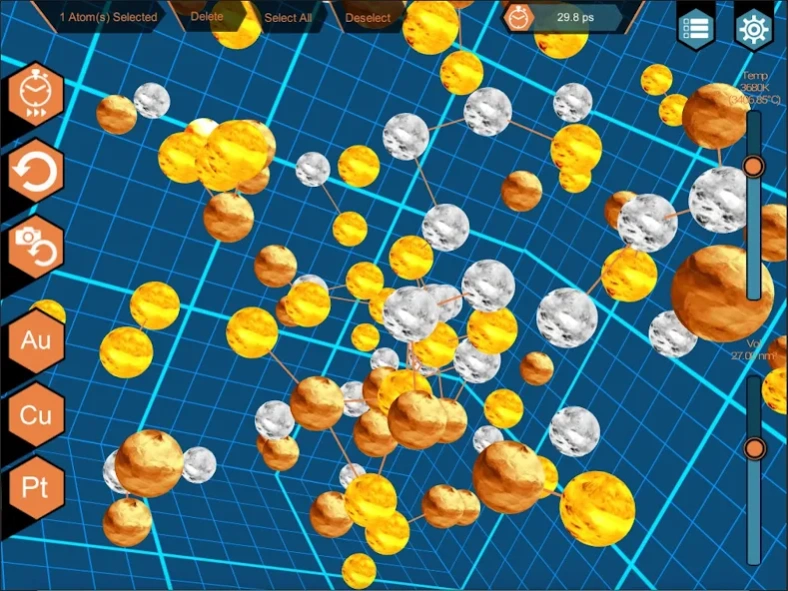
Create molecules from Cu, Au and Pt
Change thermodynamics properties
Control time
Experiment with the potential energy, finding stable geometries
Watch the process of melting and vaporizing
The Need
Stick and ball models of chemistry leave much to be desired. They easily reinforce misconceptions and they don’t provide learners with a sense of the dynamic movement and forces that are operating at the molecular scale.
Project Description
Working with molecular dynamics simulation expert Dane Morgan, UW MRSEC education director Ann Lynn Gillian-Daniel and with the support of a MRSEC seed grant, Field Day developed interactive 3-D simulation for mobile devices. The simulation was developed to help students understand the structures and attributes of particles at the molecular level, providing real-time feedback and responding to student’s actions.
The Team
Anne Lynn Gillian-Daniel (Education Lead)
Dane Morgan (Simulation Lead)
David Gagnon (Production Lead)
Tyler Anlauf (Art / UI / UX Design Lead)
Yucheng Tu (Unity Software Engineer Lead)
Justin Moeller (Software Engineer)
Ben Taylor (User Testing, Educational Design)
Izabela Szlufarska (MRSEC Inderdisciplinary Computational Group Lead)
Tam Mayesiba (Simulation Software Engineer)
Henry Wu (Simulation Software Engineer)
Amirhossein Davoody (Simulation Software Engineer)
The Code
AtomTouch is open source and available for you to customize. Get the code at https://github.com/fielddaylab/atomtouch
About AtomTouch
The company that develops AtomTouch is Field Day Lab at University of Wisconsin - Madison. The latest version released by its developer is 3.0.2.
To install AtomTouch on your Android device, just click the green Continue To App button above to start the installation process. The app is listed on our website since 2018-08-01 and was downloaded 0 times. We have already checked if the download link is safe, however for your own protection we recommend that you scan the downloaded app with your antivirus. Your antivirus may detect the AtomTouch as malware as malware if the download link to edu.wisc.wid.fielddaylab.atomtouch is broken.
How to install AtomTouch on your Android device:
- Click on the Continue To App button on our website. This will redirect you to Google Play.
- Once the AtomTouch is shown in the Google Play listing of your Android device, you can start its download and installation. Tap on the Install button located below the search bar and to the right of the app icon.
- A pop-up window with the permissions required by AtomTouch will be shown. Click on Accept to continue the process.
- AtomTouch will be downloaded onto your device, displaying a progress. Once the download completes, the installation will start and you'll get a notification after the installation is finished.
Program Details
General
System requirements
Download information
Pricing
Version History
version 3.0.2
posted on 2018-08-01
Fixes an app crash on newer Android versions.
version 3.0.1
posted on 2016-04-20
Completely new user interface. There is a new activities mode.
Disclaimer
Official Google Play Link
We do not host AtomTouch on our servers. We did not scan it for viruses, adware, spyware or other type of malware. This app is hosted by Google and passed their terms and conditions to be listed there. We recommend caution when installing it.
The Google Play link for AtomTouch is provided to you by apps112.com without any warranties, representations or guarantees of any kind, so access it at your own risk.
If you have questions regarding this particular app contact the publisher directly. For questions about the functionalities of apps112.com contact us.
